Turning slide: the middle frame that stops carousel abandonment

By Tiago Costa·Updated on August 5, 2026

Definition
The turning slide is the middle frame that renews interest.
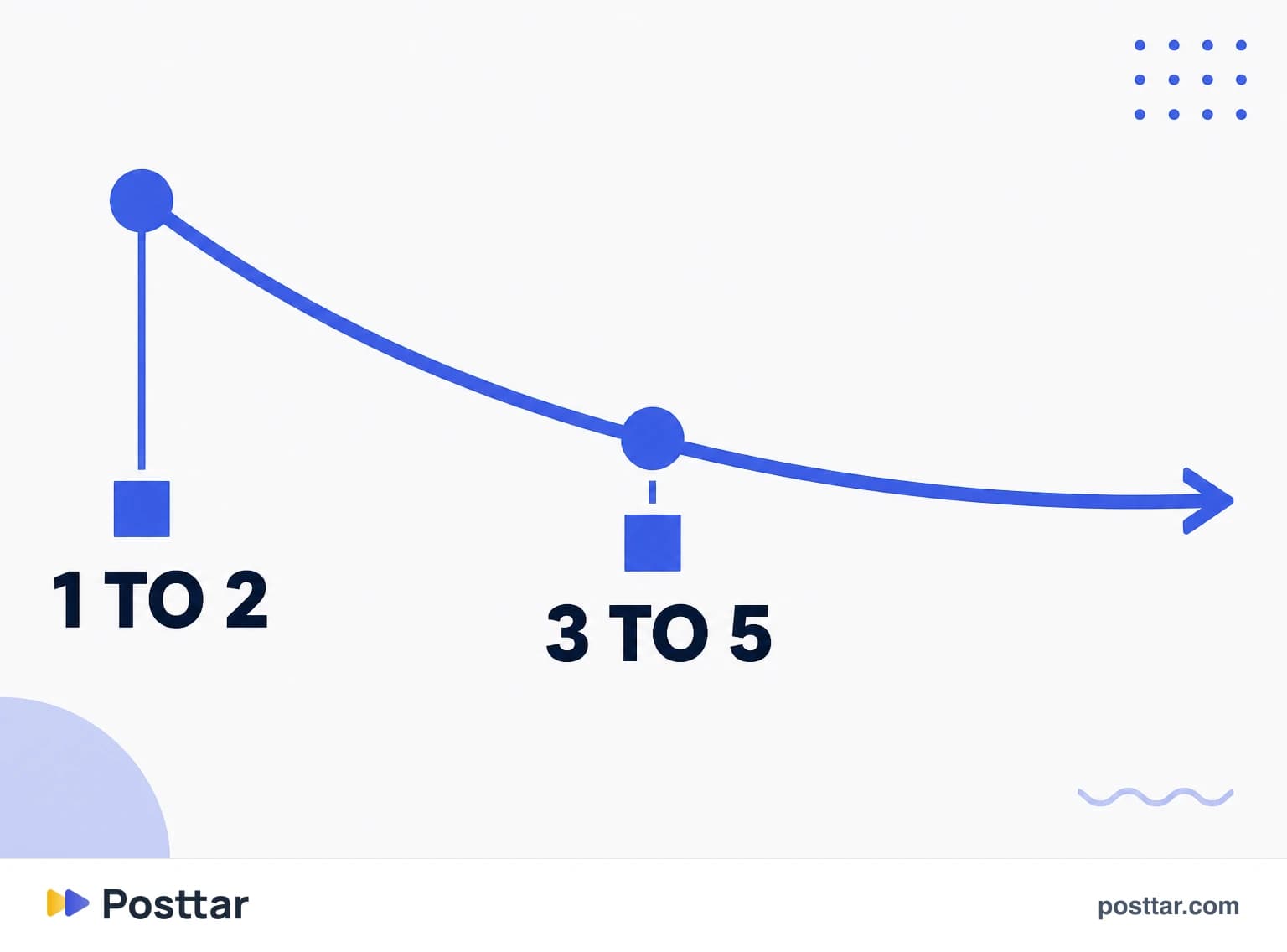
- The drop happens between the third and fifth frame.
- It delivers the unexpected where interest cools.
- Not decoration, it is positioned content.
- It recovers swiping through to the closing slide.
Where the drop happens
A carousel has a predictable abandonment curve, and it is not linear.
The biggest loss is from the first to the second frame, and that is the opening slide's responsibility. But there is a second drop, less discussed and easier to fix: the one between the third and the fifth.
The reason is behavioural. In the first two frames people are still evaluating whether it is worth it. From the third onward they have grasped the content's pattern and start deciding whether the rest will add anything. If the middle frames are only predictable continuation, they leave.
The per slide advance rate shows this precisely, and it is the metric pointing at the exact frame to fix.
What to put on the turning slide
It is not a decorative slide or a pause. It is content chosen to be unexpected. Five options that work:
- The contradiction. Denying something the previous slides seemed to support. "But none of this matters if..." forces continuation.
- The surprising figure. A number that changes how the subject is perceived.
- The concrete example. After two or three conceptual frames, a real case reignites attention.
- The format change. If the previous ones were text, a visual frame breaks the pattern and signals something new started.
- The renewed promise. Explicitly previewing what comes in the final frames.
How to structure the whole sequence
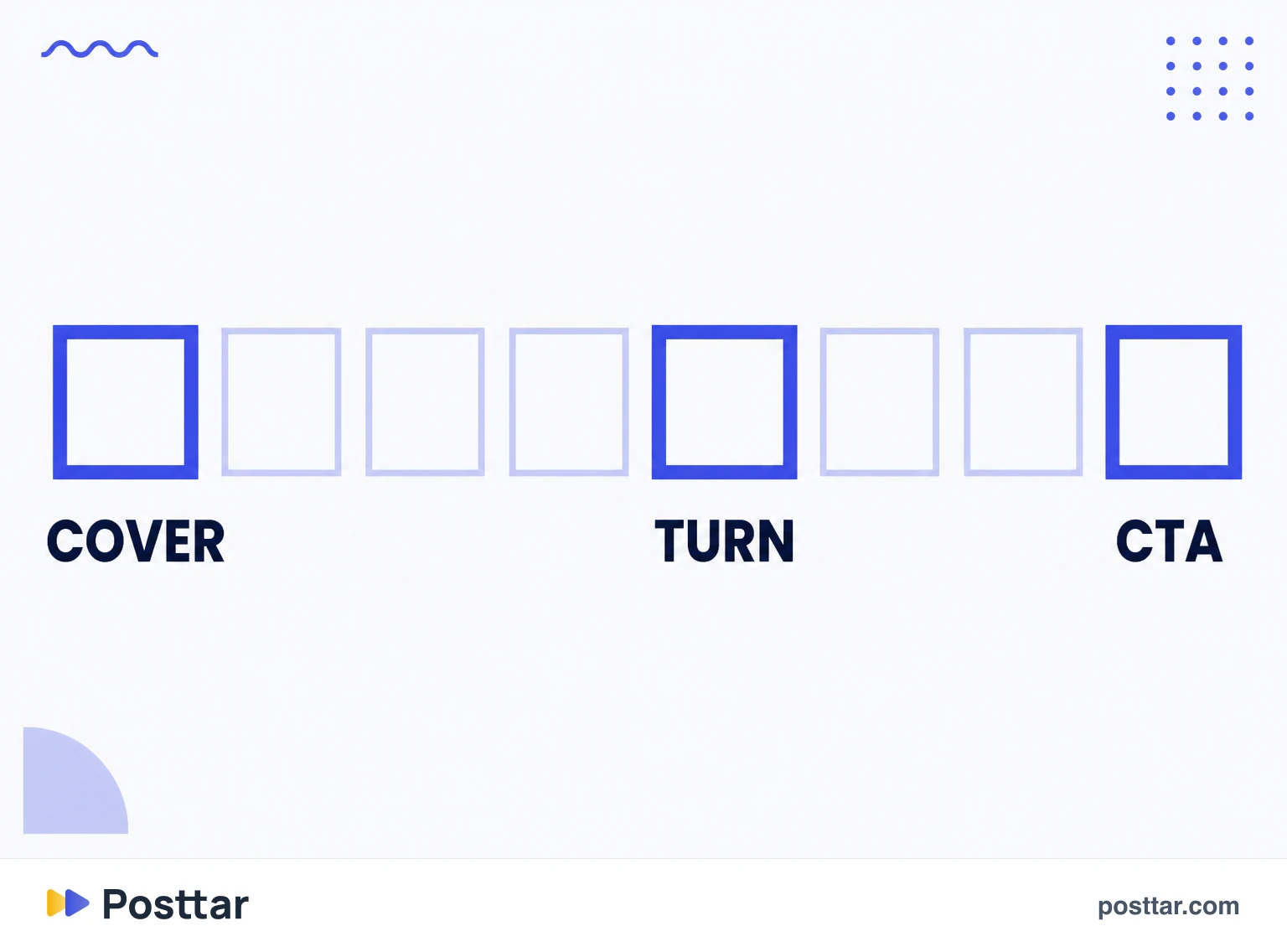
A division that works for eight to ten frame carousels:
- Frame 1. The cover with the promise.
- Frame 2. Immediate value delivery, with no warm up. This is what confirms the promise was true.
- Frames 3 to 4. Development.
- Frame 5, the turn. The unexpected.
- Frames 6 to 8. Second half development, with attention renewed.
- Last frame. The CTA slide.
Note frame 2: spending the second slide on an introduction is the most common carousel mistake, because it is exactly where people are deciding whether the cover lied.
What does not work
- An empty transition slide. A frame that only says "let us go" or "part 2" costs a swipe and delivers nothing.
- Saving the best for last. If the strong content sits on frame 9, almost nobody sees it. Distribute rather than accumulate.
- A turn with no substance. Promising a twist and delivering the obvious burns trust for the next carousels.
- Every frame carrying the same weight. A flat sequence is easy to abandon anywhere, because no frame seems indispensable.
Checklist
- My second frame delivers value, not an introduction.
- There is something unexpected around the fifth.
- I did not save the best content for last.
- No frame exists only to make a transition.
- I checked the advance rate to find where the drop happens.
Frequently asked questions
What is the turning slide in a carousel?
It is the middle frame that renews interest before someone gives up. It exists to place something unexpected at exactly the point where the abandonment curve falls, usually between the third and fifth frame.
Where do people stop swiping a carousel?
The biggest loss is from the first to the second frame, which is the cover's responsibility. There is a second drop between the third and fifth, once the novelty is gone and people decide whether the rest will add anything.
What should go in the middle of a carousel?
Something unexpected: a contradiction of what was said before, a surprising figure, a concrete example after conceptual frames, a change of visual format, or an explicit preview of what comes at the end.
What is the best carousel structure?
Cover with a promise, second frame delivering immediate value, two development frames, a turn around the fifth, three more development frames and a last one with the call to action.
Should I save the best content for the last slide?
No. If the strong content sits on the ninth frame, almost nobody gets there. Distributing the strong points across the sequence returns more than accumulating, because every frame has to justify the next swipe.
Related concepts

Carousel
A carousel is the Instagram post that holds up to 20 images or videos in a single publication, navigated by swiping sideways. It occupies the same feed space as a regular post but asks the viewer for one extra action, and that action is what makes it valuable: every frame advance adds dwell time, and the format gets a second delivery chance, because Instagram can re-show the post starting from a different frame to people who did not interact the first time.
Read the entry
Opening slide
The opening slide is the first frame of a carousel, the cover appearing in the feed. It is the highest leverage element of the whole piece: if it does not stop the thumb, the other nine slides do not exist. And it has a particularity almost nobody considers, it appears in two different contexts, full size in the feed and as a thumbnail in the profile grid.
Read the entry
CTA slide
The CTA slide is the last frame of a carousel, where the call to action goes. It carries a structural problem almost nobody faces: it is the least seen frame of the whole sequence, because only people who swiped all the way reach it. That changes what makes sense to put on it, and explains why carousels stacking five requests at the end do not convert.
Read the entry
Slide advance rate
Slide advance rate is the proportion of people moving from one frame to the next inside a carousel. It is the video retention curve applied to a static format, and it serves the same purpose: pointing at the exact frame where the audience gave up. It is the metric that turns "my carousel underperformed" into a located, solvable problem.
Read the entry